
Available Payment Models
Information about available payment models in the developer panel
Fixed Price (Paid Version)
Use this payment type when your application has a single, static price. At the beginning of each billing cycle, the subscription fee is automatically charged to the merchant's invoice.
Time-Based Subscription
This model allows you to offer subscription plans with durations of 3, 6, or 12 months. The full subscription fee is charged upfront as a one-time payment for the entire period.
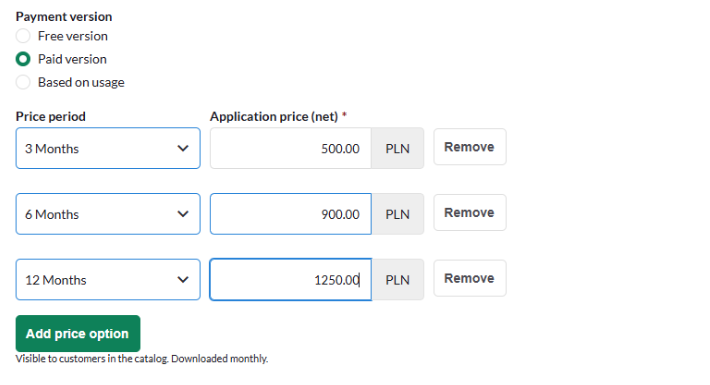
Note: The merchant may change the subscription period at any time, but the change will not take effect until the current period has ended.
Based on usage (Limit Version)
This model is designed for applications with flexible or complex pricing structures — such as multiple pricing tiers, a base fee with add-ons, or fully custom pricing. See a detailed description of this model.
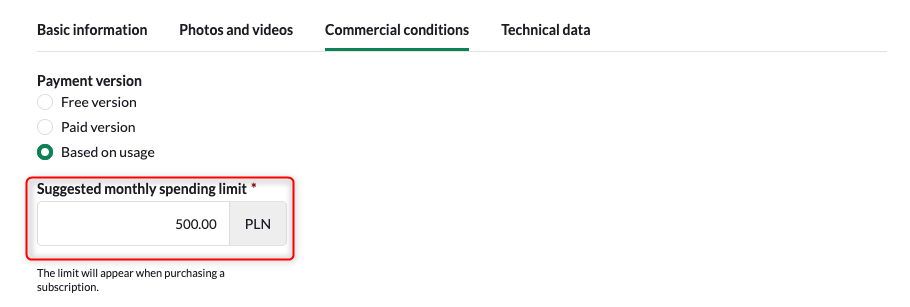
Note: It is good practice to record set price requests. You can create part of the application interface dedicated to view a payment history. This ensures that payment policies are clear to the user.
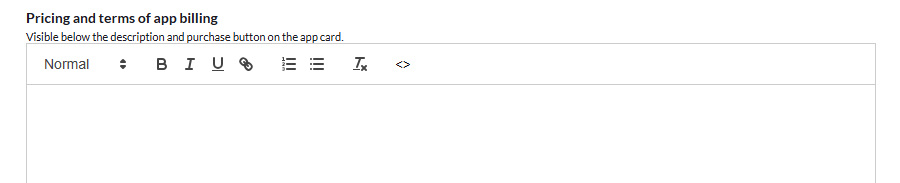
Pricing definition Define and communicate your full pricing structure to the merchant via the dedicated "Pricing and terms of app billing" field. At the time of purchase, the merchant will see the spending limit you suggest.
Spending limit
The spending limit is a critical parameter — it represents the maximum charge the merchant agrees to. You must never submit a charge exceeding this limit via POST /api/application/license/setPrice. Charge submission You control when charges are submitted. This can be done:
- At the start of the billing cycle
- Daily throughout the cycle
- At the end of the billing cycle
Important: Each call to /api/application/license/setPrice overwrites the previously set value. It does not accumulate — it replaces. For example, if you submit 100 PLN on day one and 250 PLN on day two, the merchant will be charged 250 PLN (not 350 PLN). The charge is applied at the end of the billing cycle.
Merchant limit updates
The merchant may update their spending limit at any time, with one constraint: the new limit cannot be lower than either the current accrued charge or the configured "Minimal monthly spending limit".
Minimal Monthly Spending Limit
As a developer, you can influence the merchant's minimum limit through the Minimal monthly spending limit parameter. This sets a floor value that the merchant cannot go below when adjusting their spending limit for your application's subscription.
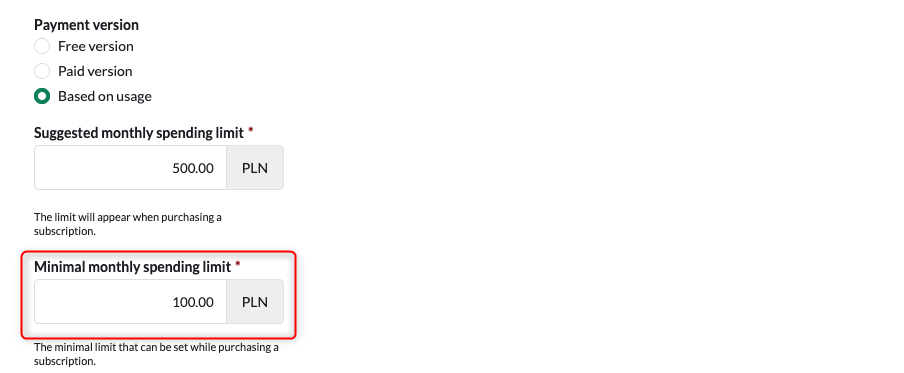
Note: The minimum limit will apply to new subscriptions or change the limit of existing ones.
Updated about 2 months ago