
Adding a Webhook - store panel
Webhooks are assigned to specific API keys. An API key can be added by a panel user with “boss” privileges. For more on how to add Admin API keys and how to configure them, see the documentation page: https://idosell.readme.io/docs/access-to-the-api.
Ady add or edit an existing key, go to the menu in the dashboard.
Old dashboard: Administration -> API -> Admin API Access Keys.
New dashboard: Settings -> API -> Access
Add Webhook to an existing key in the dashboard:

Webhook Configuration:
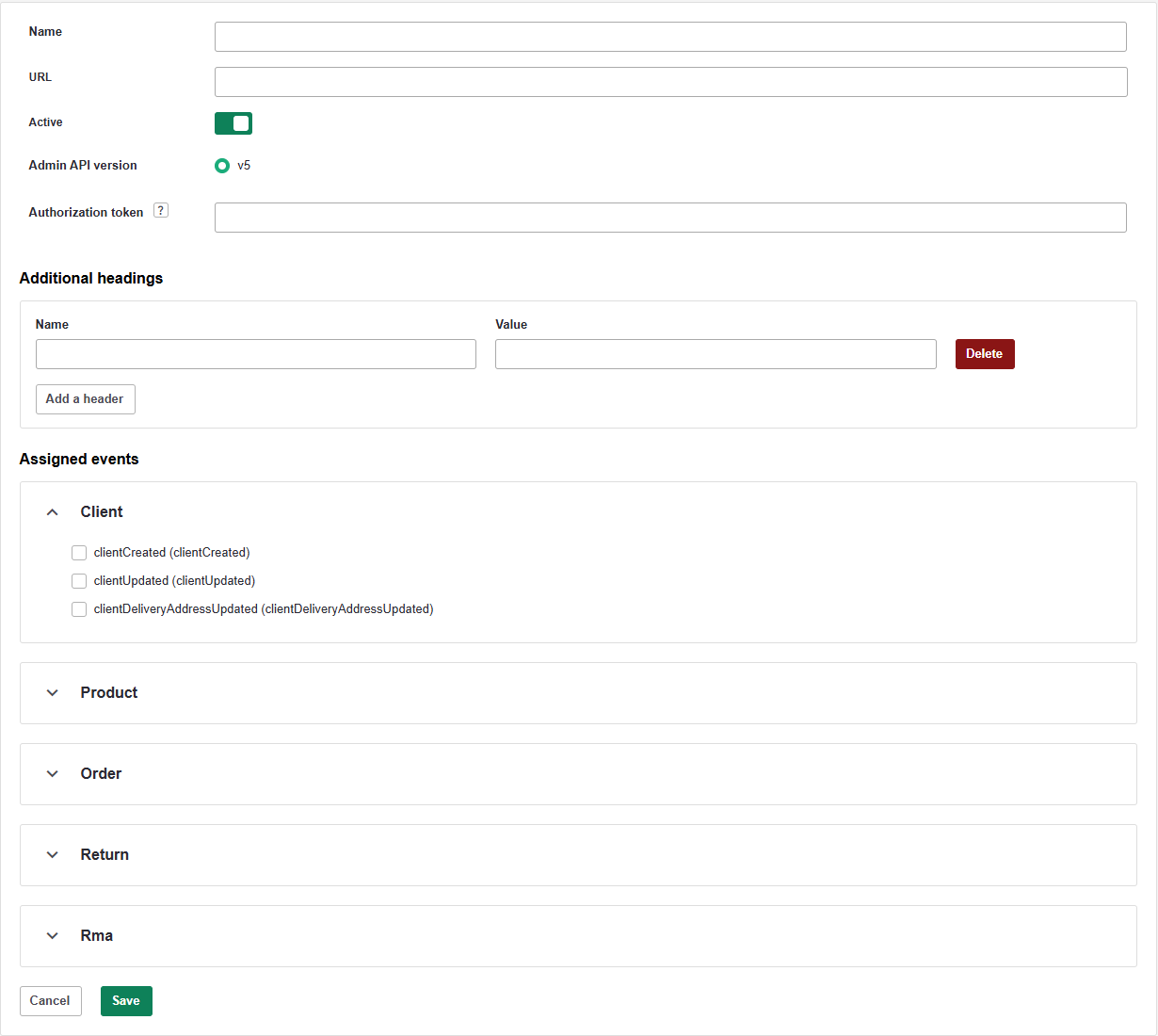
- Name: Any descriptive name, used only for identification by the user
- URL: the URL to which webhooks will be sent
- API Version: Admin API version, used to retrieve data for webhooks. When setting up new webhooks, only the current (latest) version can be selected.
- Authorization Token: Optional authorization token, sent in the Authentication: Bearer header.
- Additional Headers: Optional http headers, included during event dispatch. If your application uses other authorization headers, this is the appropriate place to enter them.
- Supported Events: events about which notifications will be sent. The range of assignable events depends on the authorization level of the API key that the webhook is associated with.
Updated 12 months ago
Did this page help you?