
Access to the API
To get an API Access you need to go to the Administration / API / Access keys to Admin API page in the IdoSell administration panel. Don't use one key for more than one application. Remember to give the appropriate permissions to the API resources and verify limitations (for example on hosts).
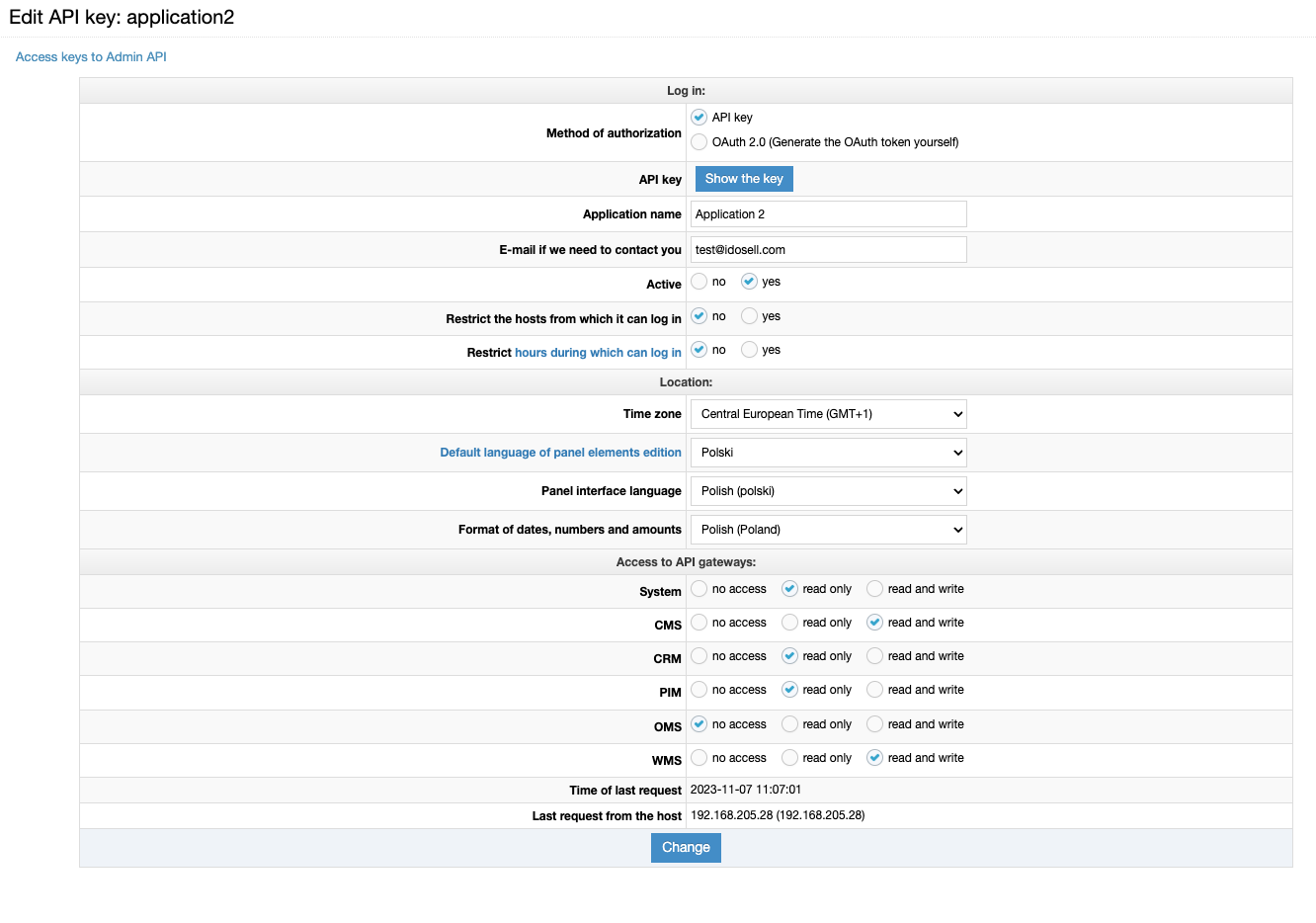
The are 2 ways to access, you can choose:
- API Access Key - You need to put this key in the X-API-KEY header of the request. To get an API Access Key, just go in the administration panel to the page Administration / API / Access keys to Admin API and add a new key. Each application have to have it's own access key.
- OAuth 2.0 token - In this case, follow the same steps as adding the API key, but select OAuth in the authorization method. Then use the authorize/accessToken gateway from the AUTHORIZE API to provide username and password. Give the resulting token in the header of the request to API Admin as the "Authorization" property. Note that in addition to the OAuth token, you must also pass its type (Bearer).
Updated 12 months ago
Did this page help you?